Visualization Theme and Export
AbaQuant’s visualization layer supports a global theme you configure once, plus a temporary theme context manager for one-off overrides (e.g., switching to Plotly and HTML export just for a single figure).
Sections:
Configure a reusable global theme
Create a themed figure, then temporarily override the theme
Reset back to the default theme
Setup
import abaquant
print(f"AbaQuant version: {abaquant.__version__}")
AbaQuant version: 1.0.0rc1
from pathlib import Path

from abaquant.derivatives.models import BlackScholesMertonModel
from abaquant.visualization import (
    VisualizationError,
    VisualizationTheme,
    configure_visualization,
    get_visualization_theme,
    reset_visualization_theme,
    visualization_theme,
)

output_directory = Path("generated_figures/visualization_theme")
output_directory.mkdir(parents=True, exist_ok=True)
1. Configure a reusable global theme
configure_visualization() sets the theme that every subsequent
.visualize() call will use by default, until reset.
theme = configure_visualization(
    VisualizationTheme(
        backend="matplotlib",
        color_sequence=("#0F4C81", "#E07A5F", "#3D9970"),
        background_color="#FAFAFA",
        paper_color="#FAFAFA",
        grid_color="#CBD5E1",
        font_family="DejaVu Sans",
        figure_size=(10.0, 5.8),
        dpi=140,
        line_width=2.5,
        marker_size=6.0,
        save_directory=output_directory,
        save_format="png",
        auto_save=False,
        filename_prefix="theme_example",
    )
)
print(f"backend={theme.backend}, font_family={theme.font_family}, dpi={theme.dpi}")
backend=matplotlib, font_family=DejaVu Sans, dpi=140
2. Themed figures and a temporary override
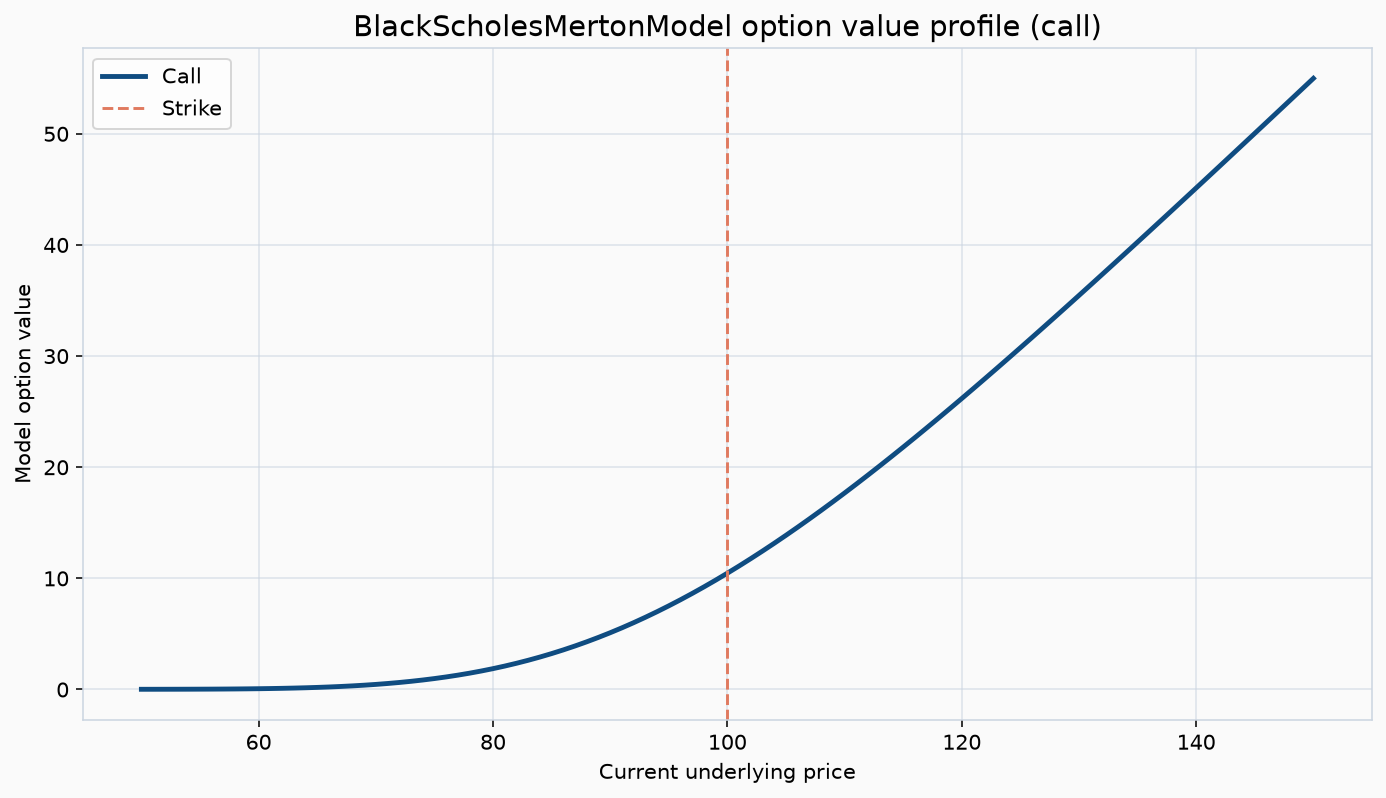
The global figure below uses the theme configured above. The
visualization_theme(...) context manager then applies a different
theme (Plotly + HTML export) just inside the with block, without
disturbing the global configuration.
try:
    model = BlackScholesMertonModel(100.0, 100.0, 1.0, 0.05, 0.20)
    global_figure = model.visualize(chart="price_profile", filename="global_theme_profile")

    with visualization_theme(
        backend="plotly",
        color_sequence=("#5B2C6F", "#1F618D"),
        save_format="html",
        save_directory=output_directory,
    ):
        temporary_figure = model.visualize(chart="payoff", filename="temporary_plotly_payoff")

    active_theme = get_visualization_theme()
    print(f"Global figure type:    {type(global_figure).__name__}")
    print(f"Temporary figure type: {type(temporary_figure).__name__}")
    print(f"Active backend after context exits: {active_theme.backend}")
except VisualizationError as exc:
    print(f"Visualization skipped (optional dependency missing): {exc}")
Visualization skipped (optional dependency missing): Plotly visualization requires the optional dependency 'plotly'. Install it with: pip install plotly
3. Reset to the built-in default theme
Always reset at the end of a notebook/script so later cells don’t inherit a custom theme unintentionally.
reset_visualization_theme()
print("Theme reset to AbaQuant defaults.")
Theme reset to AbaQuant defaults.
Takeaway
Use the global theme for consistent, notebook-wide styling, and the
visualization_theme() context manager for one-off backend or export
overrides. auto_save=True on the theme will make every .visualize()
call write a file automatically; the default (False) keeps figures purely
in-memory unless you pass filename= explicitly.